1
Choose a source image
Open the photo or graphic you want to prepare and select the destination platform or preset.
Social Media Resizer
Resize JPEG, JFIF, PNG, WebP, HEIC, HEIF, AVIF, SVG, BMP and TIFF images using ready-made sizes for Instagram, Facebook, LinkedIn, YouTube, X and TikTok, then export locally in your preferred format.
JPEG, JFIF, PNG, WebP, HEIC, HEIF, AVIF, SVG, BMP or TIFF
Your image never leaves your device
Social media preset
Shape
Circle output is intended for profile picture presets. For PNG, WebP, AVIF, BMP and TIFF, the corners outside the circle are transparent. For JPEG, JFIF and HEIC, those corners are filled with white because those formats do not preserve transparency in this tool.
Output format
REAL TEST RESULTS · EXAMPLE
Start with the square Harper & Bean promotion, then compare the actual portrait and Story / Reel Cover PNG files produced with the Social Media Resizer. These are real supplied output images, not simulated screenshots.
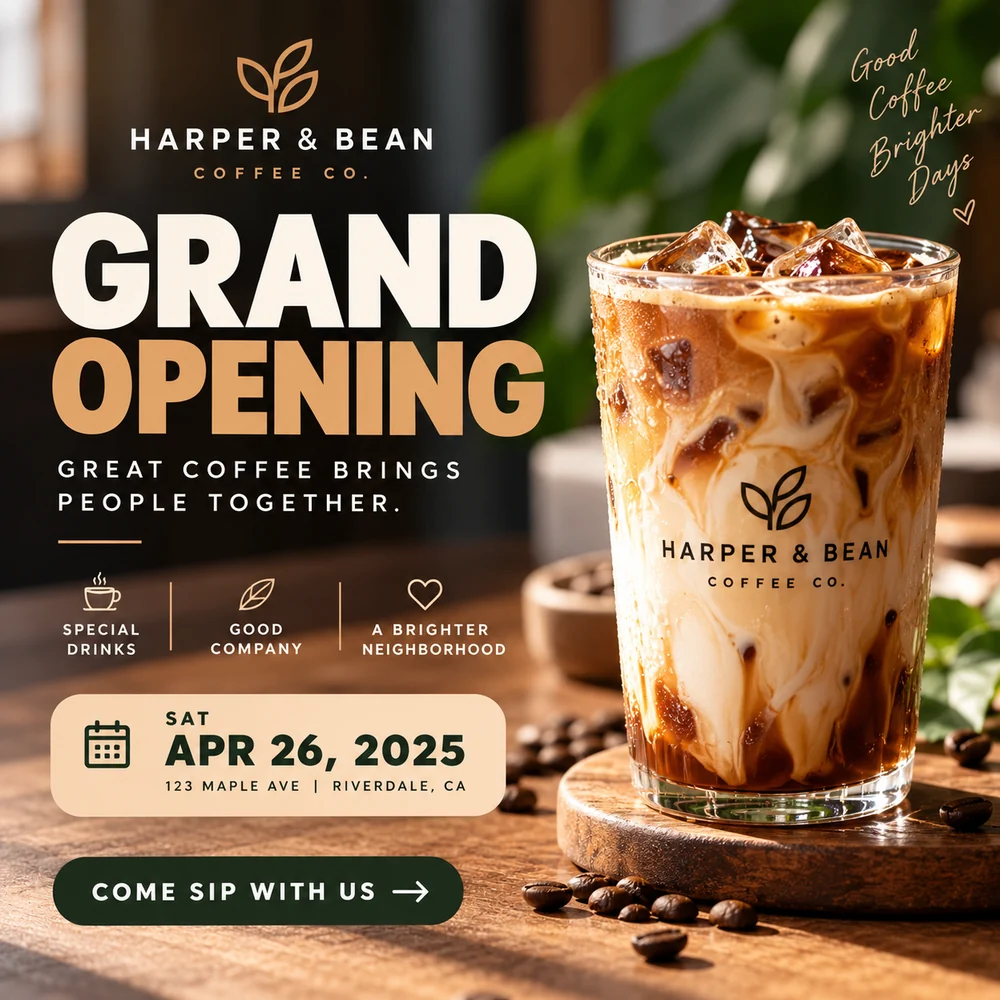
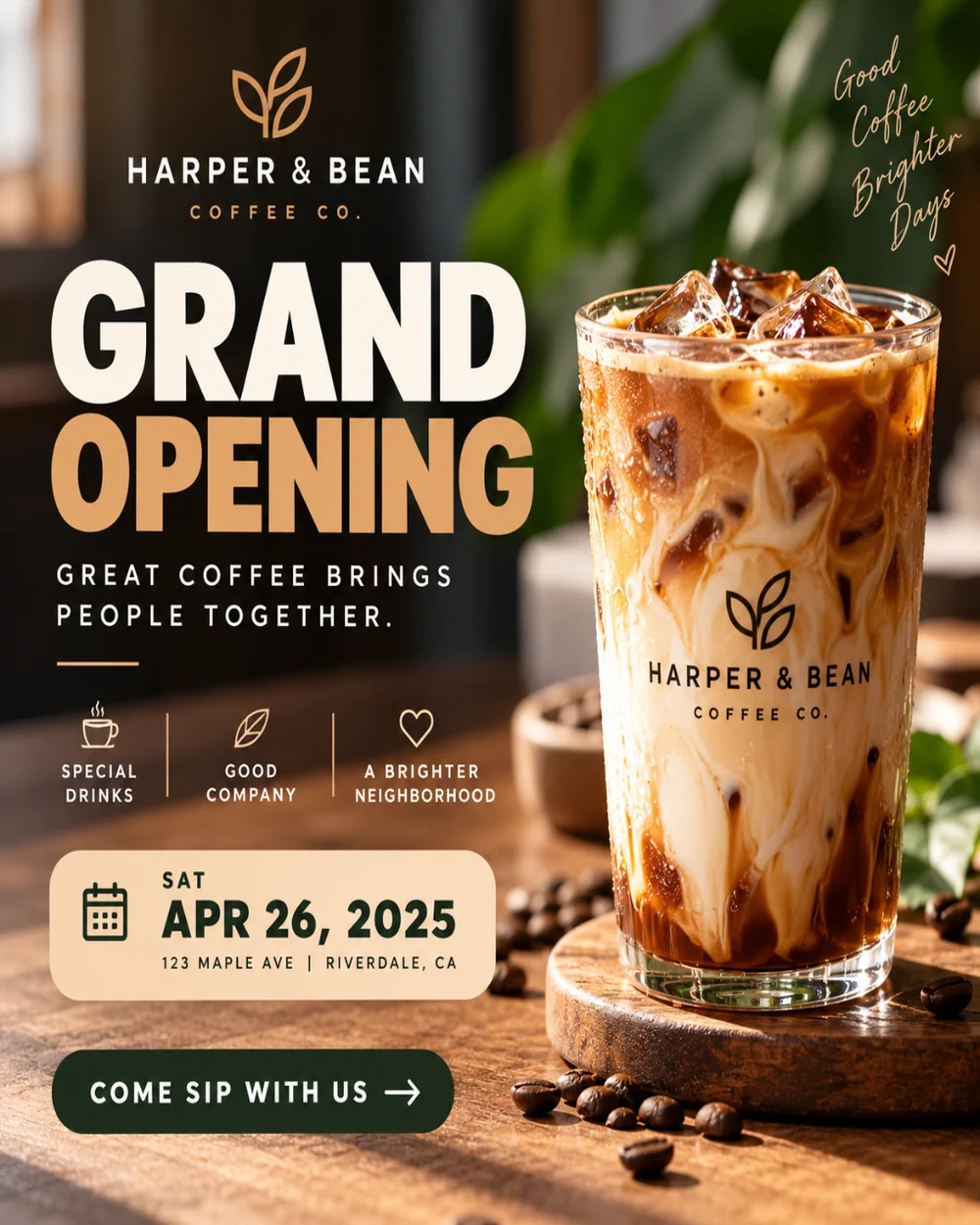
Selected image
Actual tool output
Dimensions
1080 × 1350
Ratio 4:5
PNG file size
2.40 MiB
Actual supplied file
File size difference
-12.1% vs original
Measured against source PNG
The supplied 1080 × 1350 PNG has a taller aspect ratio for an Instagram portrait post.
Click any card to view its full preview and measured output information above.
Social platforms use different aspect ratios for profile pictures, posts, stories, thumbnails, covers and other visual placements. Starting from a platform preset is faster than looking up dimensions every time and helps you keep important content inside the visible area.
The Social Media Resizer provides ready-made sizes for platforms such as Instagram, Facebook, LinkedIn, YouTube, X and TikTok. You can position the source image, prepare the required output and create circular profile-picture output where that shape is useful, all without sending the photo to a remote processing service.
Open the photo or graphic you want to prepare and select the destination platform or preset.
Adjust how the image fills the target size and keep faces, logos and text inside the important area.
Create the prepared image locally and download the version ready for posting or upload.
Different placements use different layouts and aspect ratios. A profile photo, feed post, story and video thumbnail are displayed in different containers.
It can. Interfaces and previews sometimes use their own crop, so keep important content away from edges and check the platform preview before publishing.
The tool includes circular profile-picture output for workflows where a round image or transparent circular result is useful.
Either can work, but resizing first makes it easier to judge watermark size and placement on the final canvas.
No upload is required for the normal resizing workflow. The image is processed locally in your browser.